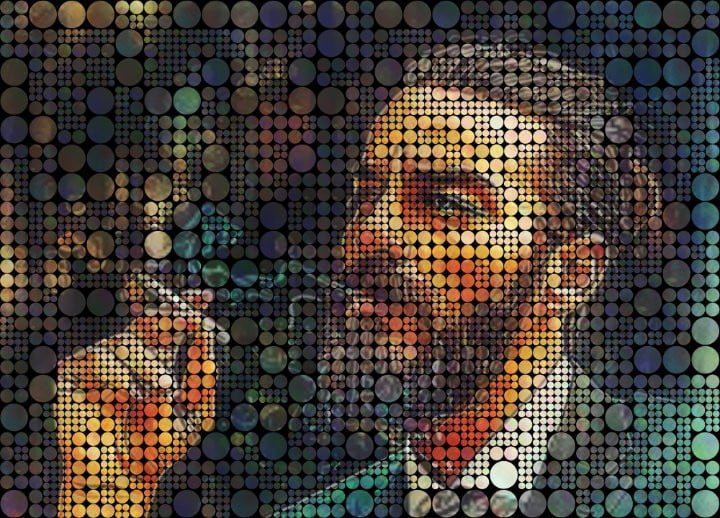
Mosaic Creator is the ultimate software for creating photo mosaics, tile mosaics, bead patterns, pixel art, and any tile based mosaics. Perfect for hobbyists, artists, designers, and professionals!
Download Free 30-Day Trial
Create Stunning Photo Mosaics
If you love turning your photos into art, a photo mosaic is one of the most striking ways to showcase your memories. With Mosaic Creator, you can combine hundreds or thousands of images into a single masterpiece.
What is a Photo Mosaic?
A photo mosaic is an image made up of many smaller pictures arranged so that from a distance, they form a single larger image. Photo mosaics can be printed on posters, used as digital artwork, or converted into bead or tile patterns.
Step-by-Step Guide
- Collect Your Images: Gather hundreds of your favorite photos for higher detail.
- Select Your Main Image: The primary image visible from a distance.
- Use Mosaic Creator: Upload images and main photo. Adjust tile size, color correction, and repetition control.
- Preview & Adjust: Check the mosaic preview and tweak for color blending.
- Export & Print: Save in high resolution for posters, gifts, or digital use.
Pro Tips
- Use high-resolution photos for each tile for better print quality.
- Experiment with tile mosaics or bead patterns for alternative formats.
- Enable repetition control in Mosaic Creator to avoid repeated images.
Learn more: Photo Mosaic Maker | Free Trial Download
Design Tile Mosaics for Home or Commercial Projects
Planning a tile mosaic wall, pool design, or decorative mural can be challenging, but Mosaic Creator makes it simple. Visualize your project, calculate tiles, and export detailed layouts for installation.
Why Use Tile Mosaic Software?
- Avoid errors in tile selection and spacing
- Save time and money
- Create complex patterns easily
Step-by-Step Guide
- Select Your Space: Import a photo of your wall, floor, or pool area.
- Choose Tile Types: Ceramic, glass, stone, or custom tiles.
- Set Mosaic Grid: Grid size, grout spacing, and pattern.
- Preview Your Design: Mosaic Creator generates a realistic visual of your project.
- Export Layout: image for installers or contractors.
Tips for Perfect Tile Mosaics
- Use high-resolution tile images to see realistic details.
- Experiment with hexagons or diamonds patterns.
- Download free mosaic templates for quick starts: 60+ Free Patterns
Learn more: Tile Mosaic Maker
Convert Photos to Bead Patterns Effortlessly
Create stunning bead mosaics from your photos. Mosaic Creator is perfect for hobbyists, educators, and professional designers.
Why Convert Photos?
- Create personalized gifts, decorations, or wall art
- Plan hobby projects with precision
- Reduce trial-and-error
Step-by-Step Guide
- Upload Your Photo: Choose any image to convert.
- Select Mosaic Type: Beads, or pixel art.
- Adjust Color Palette: Supports authentic bead colors.
- Generate Pattern: Preview and adjust tile size or colors.
- Export & Print: Save as image for assembly.
Tips for Hobbyists & Professionals
- Optimize colors to match available bead/brick colors.
- Use repetition settings for creative effects.
- Combine with tile or photo mosaics for hybrid projects.
Download Mosaic Creator: Free Trial